AI tools for Real estate
Ready-to-use apps that help you run your day-to-day and grow your Real estate business.
- selected apps
- 11selected apps
- business areas
- 5business areas
- industry-specific
- 3industry-specific
Why these apps will grow your Real estate business
They cover 5 areas of your activity with 11 apps. These are the tools in each area.
Built for Real estate
They handle the work that is specific to the industry.

aiLiving — Design your home and garden from your mobile
AppInterior and exterior design app to renovate or decorate your home thoughtfully. Draw the floor plan of each room with walls, doors, windows, and dimensions, and see it immediately in navigable 3D with day and night light. Apply materials from a catalog of 47 finishes, create 60-30-10 palettes from scratch or extracted from a photo, calculate the liters of paint you need with commercial paint equivalences, and furnish with 53 products at real scale. Includes kitchen with modules and work triangle, bathroom with standard layouts and functional spaces, garden with 22 plants filtered by your climate, irrigation and care calendar, pool with volume and cost, and terraces by zones. At the end, budget and shopping list with the real measurements of your project, and photorealistic render or walkthrough video generated with AI.

RoomStyle Studio — AI Interior Design
AppUpload a photo of a room, choose one of 8 styles (Nordic, industrial, japandi, Mediterranean, boho, minimalist, classic, or rustic), and the AI redesigns it while preserving the architecture: walls, windows, and perspective stay intact. With optional Shopping Mode, the AI integrates real products from the IKEA and Sklum catalogs into the image and generates an infographic with numbered markers, store, price, purchase link, and total budget, downloadable as an image.
aiSpaceDesign — Redesign your home with AI from a photo
AppConversational AI interior design editor. Upload a photo of a room, floor plan, or exterior and request changes: 36 decorating and landscaping styles, 35 quick actions (empty the room, remove clutter, change flooring, paint, ceiling, countertops, or cabinets with 60 materials, add plants, furniture, lamps, or art, switch day to night, redesign terraces, gardens, facades, and pools) and a brush to mark the exact area you want to change. Floor plans become isometric 3D views, eye-level renders, or walkthroughs of up to 8 views. Each edit creates a new version within a tree history: go back to any point, open another branch, and compare results with a slider. Includes gallery, 30-day trash, PDF export with before and after, materials, and an estimated budget.
For running the business
Invoices, documents, calendar and customers: useful for any business.

AisDrive – File Manager
AppOrganize all your project files with a visual and intuitive file manager. Create folders, upload files with drag & drop, move and rename items easily.

AiCrm — Lightweight CRM with API to create customers from any system
AppCRM for small teams and developers: customer record with tags, statuses and notes, activity timeline, follow-up reminders, combined search and filters, duplicate detection and merging, CSV import and export, PDF reports, dashboard with statistics and trend charts, and a REST API with your own keys and signed webhooks to create contacts from your website or your systems.
Aiformleads — Forms that capture leads and classify them automatically
AppMulti-step form builder with thirteen field types, step and field conditional logic, answer-based branching, and faithful preview. Upon completion, your rules tag and score each lead, the funnel shows you at which step people drop off, and the inbox filters by tag, status, or score with CSV and Excel export.

aiContacts — Your address book of useful contacts and professionals
AppPersonal address book, separate from your phone's, to save those who fix things for you: the plumber, the cleaner, the Pro manager at the DIY store, the person who installed the air conditioning. Each contact has a 'what it's about', private notes, and color tags, and the search looks at the same time at the name, the 'what it's about', the notes, the tags, the phone, and the email: it filters with each letter, ignores accents and capitalization, and forgives a typo. Add in ten seconds with the '+' button, call, WhatsApp, or copy the number in one tap from the card itself, rating 👍/👎, favorites, sort by most used, share the contact without your private notes, and offline access.

aiCal — Your booking page with your real free slots
AppAppointment scheduling for professionals who sell their time. You create your event types (duration, format, buffers, form questions), define your weekly schedule and block-offs, and share a public link: your clients only see the slots you actually have free, choose a time without registering and in their own time zone, and receive confirmation and reminders by email with the .ics file attached. They can reschedule or cancel on their own from a personal link, with the policies you set (minimum notice and maximum number of changes). You manage everything from a mobile schedule: pending approval requests, details of each appointment with form responses, manually created appointments for what's closed by phone, history with metrics and CSV export, and a subscribable ICS feed to see your appointments in Google, Outlook or Apple. Protections against a saturated schedule: buffers before and after, daily appointment limit, minimum notice, booking window, vacations and pause mode. AI is optional and always on demand: drafting texts and preparing the appointment.

aiPortrait — Photorealistic Portraits of People Who Don't Exist
AppCreate a photo of a person without a model, studio, or image rights. A four-step assistant—person, clothing, scene, and generation—lets you define gender, age, ethnicity, build, facial features, skin, hair, expression, gaze, and pose, or describe everything in your own words and let AI fill in the assistant for you. Choose from 28 outfits in five categories, 21 backgrounds and scenes, four lighting schemes, background blur, and nine visual styles, and receive up to eight variations with a professional photography look. Then adjust them in an editor with 14 tools: change clothing, background, or hairstyle; regenerate the face; relight; retouch skin; erase objects; edit an area; expand the frame; crop for each network; upscale to 2K or 4K; and export in PNG, JPG, or WebP.
aiCompetitor — Review benchmark against your competition
AppLocal reputation benchmark for neighborhood business owners: restaurant, clinic, workshop, hair salon, gym, or shop. You verify your Google listing, choose up to ten competitors in your area, and take a weekly “snapshot” — free, no tokens — of the rating and number of reviews across the whole ring. With those snapshots, aiCompetitor builds the history Google doesn’t give you: evolution of your rating, review acquisition pace per week, drift vs. the neighborhood average, and your position in the local ranking with its overtakes. Whenever you want, AI reads the accessible reviews and scores them by topic — service, price, quality, wait, and cleanliness — to show you your strengths, where you’re leaking versus nearby competitors, what reviewers mention about them but not about you, and a prioritized action plan with a shareable report and PDF. All data comes from the official Google Places API: no scraping, with the five-review limit per listing shown on screen and without storing the original review text.

aiReceptionist — AI receptionist that answers and books appointments
AppAI virtual receptionist for your business. Tell it what you offer, your hours and your appointment types, and share a chat link: it serves your customers at any time, answers their questions, asks for the details you decide and books their appointment in the real openings in your calendar. It includes a public booking page by calendar, team and locations, waiting list, pre-appointment form, email reminders and follow-ups, absence notice, WhatsApp-style inbox with escalation to a person, metrics, ICS feed and webhooks.
Industry articles

Virtual home staging with AI in 2026: how to tag photos to comply with the AI Act
Which AI-edited property photos need to be tagged from August 2, 2026, with what formula, where to place it, and what fine you risk.

2027 Decoration Trends: How to Turn Your Living Room into a 'Refuge Home' Without Renovation (and What It Really Costs)
The 5 key decoration trends for 2027 applied to a rental living room without renovation, with prices from IKEA and Sklum and three budgets: €300, €800, and €1,500.

How much does a comprehensive renovation cost in 2027: price per m² and breakdown by item
How much does a comprehensive renovation cost in 2027: price per m² by quality, breakdown by item, 10% VAT, and what to ask the contractor.
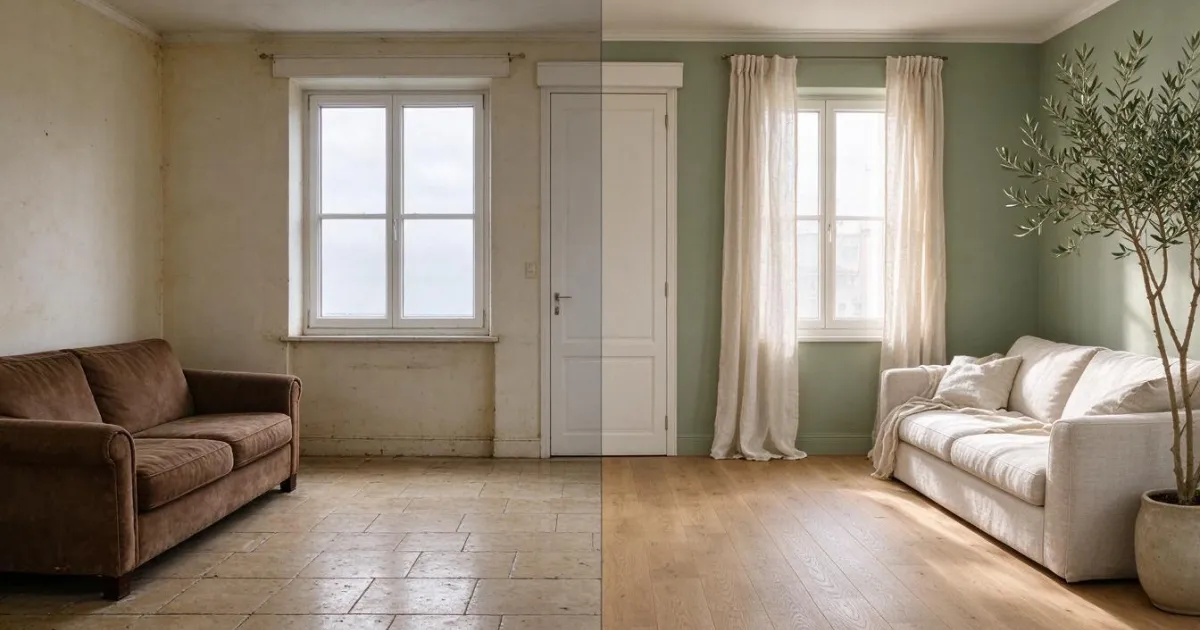
AI Renovation Simulator: how to see your finished home from a mobile photo
How to simulate a renovation with AI from a mobile photo: how to take the photo, the order to decide on flooring, paint, and furniture, and what it can't tell you.

How much does it cost to furnish a living room: real prices, measurements that fail, and how to see it in your own photo
How much does it cost to furnish a living room from scratch: sofa, table, rug, and lamp with real prices from IKEA and Sklum, what measurements to check, and how to see it in your photo.
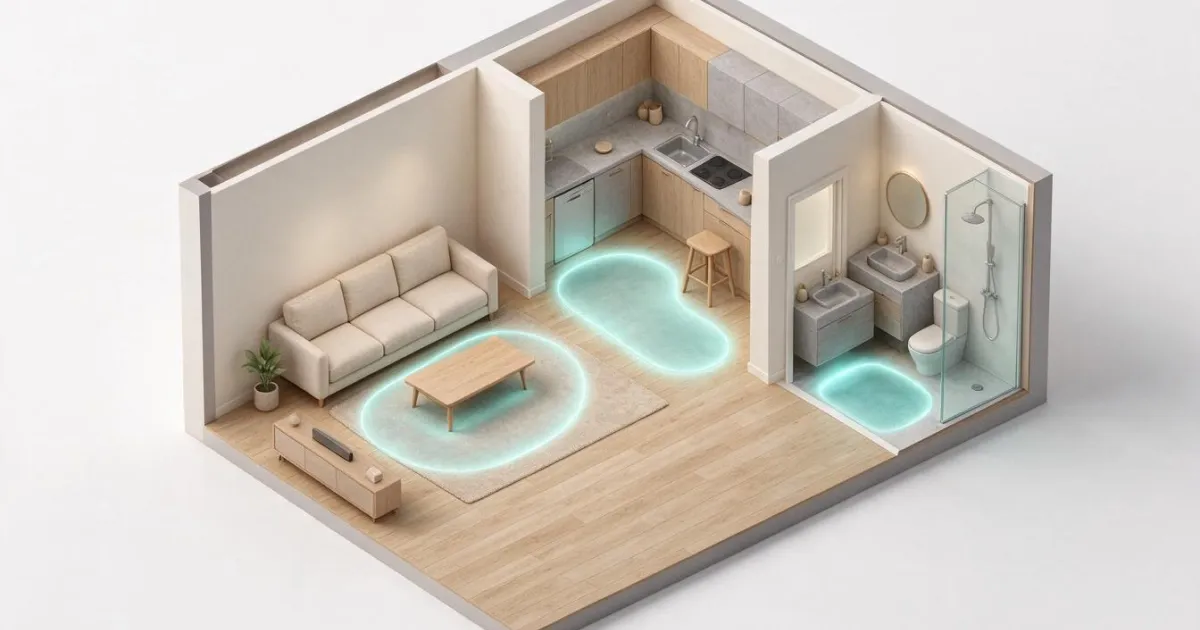
Minimum Measurements at Home: How Much Free Space to Leave in the Living Room, Kitchen, and Bathroom
How much free space to leave between furniture: clearances by room, kitchen work triangle, bathroom usage spaces, and how to see it on your plan.
Frequently Asked Questions
Which tools does Real estate include?
It includes 11 AIstoHire apps selected for Real estate: aiLiving — Design your home and garden from your mobile, RoomStyle Studio — AI Interior Design, aiSpaceDesign — Redesign your home with AI from a photo, AisDrive – File Manager, AiCrm — Lightweight CRM with API to create customers from any system, Aiformleads — Forms that capture leads and classify them automatically, aiContacts — Your address book of useful contacts and professionals, aiCal — Your booking page with your real free slots.
Do I need to install anything to use them?
No. Every AIstoHire app runs in your browser, on mobile and desktop, with nothing to install or set up.
Are these different from the apps in the general catalogue?
No. They are the same AIstoHire apps: this page filters and sorts them for Real estate so you don't have to go through the whole catalogue.
How do I get started?
Open the app you need from this page: each one explains what it does and how it works before you start.